
Overview
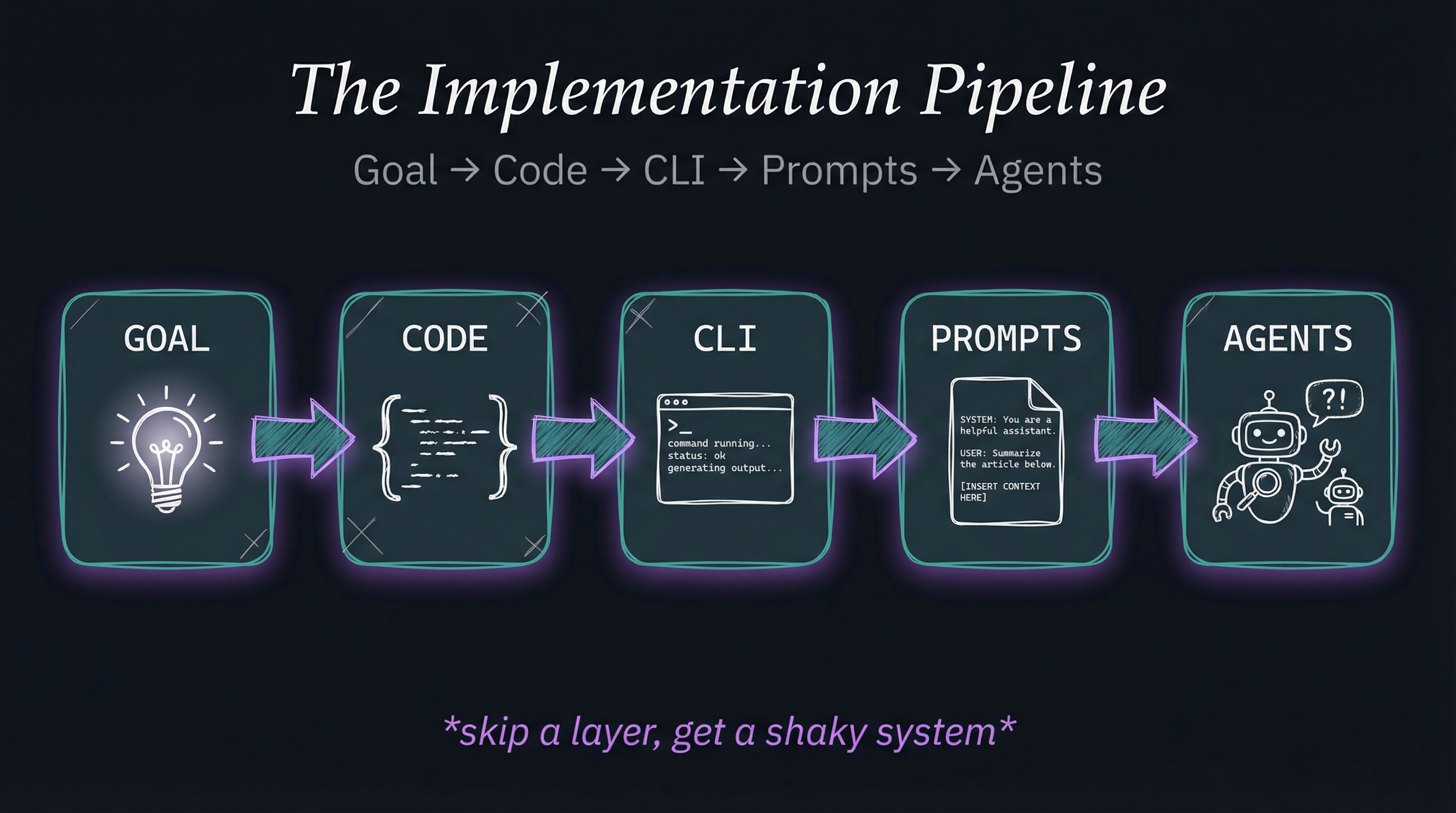
The proper development pipeline for any new feature. Each layer builds on the previous—skip a layer, get a shaky system.
This decision hierarchy prevents jumping directly to agents when simpler solutions exist. Start with clarity, then code, then existing tools, then AI orchestration, then specialized agents.
Each step up the hierarchy adds flexibility but reduces determinism. Use the simplest solution that works.
Why This Matters
Prevents over-engineering - Most problems don’t need agents. Many don’t need AI at all. The hierarchy forces you to justify complexity.
Enables debugging - When agents fail, you can drop down to prompts. When prompts fail, you can drop down to CLI. When CLI fails, you can inspect code. Each layer is independently testable.
Compounds reliability - Agents orchestrate prompts. Prompts orchestrate CLI tools. CLI tools execute code. Code is deterministic. Reliability flows from the bottom up.
Reduces cost - Bash scripts are free. CLI tools are free. Prompts cost per token. Agents cost more. Use cheaper solutions when they work.
Improves performance - Code executes in microseconds. CLI in milliseconds. Prompts in seconds. Agents in tens of seconds. Faster is better when it works.
Implementation
LifeOS enforces this hierarchy in skill development:
1. Start with the Goal
- What are you trying to accomplish?
- Why does it matter?
- What does success look like?
- Is this even worth building?
2. Can Code Solve It?
- Is this deterministic processing?
- Could a bash script, TypeScript function, or Python library handle this?
- If yes, write code. Don’t involve AI.
3. Do Existing CLI Tools Solve It?
- Does
jq,grep,curl,gitalready do this? - Can you compose existing tools?
- If yes, use CLI tools. Don’t reinvent.
4. Should Prompts Orchestrate It?
- Is judgment required?
- Do you need to understand context?
- Is the task well-defined but requires intelligence?
- If yes, use prompts to orchestrate code/CLI.
5. Do You Need Specialized Agents?
- Is this complex enough to need domain expertise?
- Would a specialized persona help (Engineer vs. Researcher)?
- Does this require extended reasoning?
- If yes, use specialized agents.
Examples
Example 1: Extract Email Addresses
- Goal: Get all emails from a text file
- Code solves it:
grep -oE '[A-Za-z0-9._%+-]+@[A-Za-z0-9.-]+\.[A-Z|a-z]{2,}' file.txt - Don’t use prompts or agents
Example 2: Summarize Research Paper
- Goal: Extract key findings relevant to my project
- Code can’t solve it (requires understanding)
- CLI can’t solve it (no tool exists)
- Prompts solve it: AI reads paper + project context → generates summary
- Don’t need specialized agent (general intelligence sufficient)
Example 3: Architect New System
- Goal: Design scalable AI infrastructure for organization
- Code can’t solve it (requires judgment)
- CLI can’t solve it (no tool exists)
- Simple prompts can’t solve it (too complex, requires expertise)
- Specialized agent solves it: Architect agent with deep domain knowledge
Example 4: Automated Deployment
- Goal: Push code to production after tests pass
- Code solves most of it: Git hooks, CI/CD scripts
- Prompts orchestrate it: AI decides when it’s safe to deploy
- Agents monitor it: Observability agent watches for issues
Related Principles
- Principle #1: Clear Thinking + Prompting is King - Goals start with clear thinking
- Principle #4: Code Before Prompts - Code comes before prompts in hierarchy
- Principle #8: CLI as Interface - CLI is middle layer