
Overview
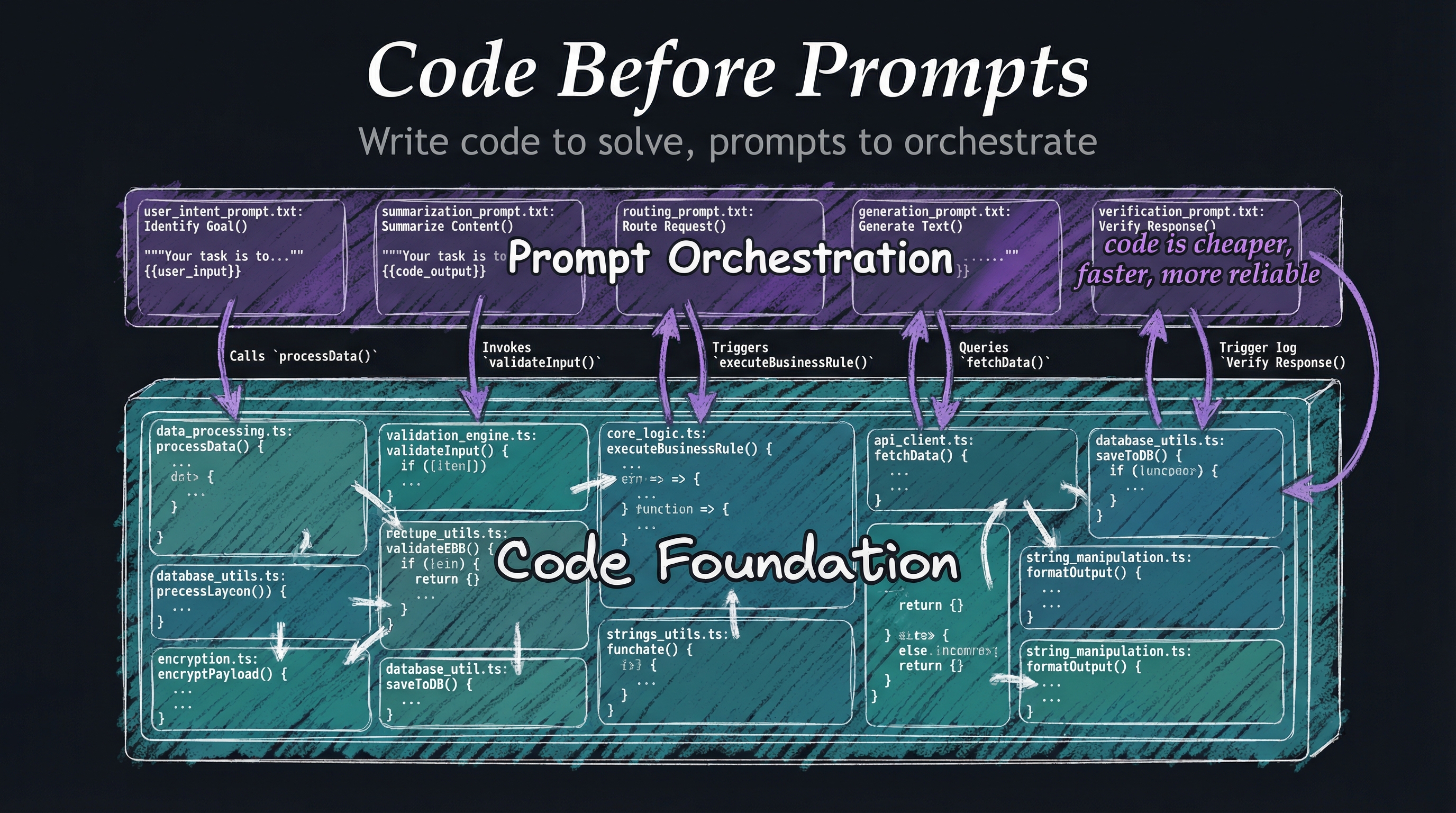
Write code to solve problems, use prompts to orchestrate code. Prompts should never replicate functionality that code can provide.
“If you can solve it with a bash script, don’t use AI.” This isn’t about avoiding AI—it’s about using the right tool for the job. Code is deterministic, testable, and reliable. Prompts are flexible but probabilistic.
Solve deterministically first. Wrap deterministic solutions with AI orchestration only when the orchestration adds genuine value.
Why This Matters
Code is predictable - Bash scripts, TypeScript functions, CLI tools—they execute identically every time. No hallucinations, no randomness, no surprises.
Code is testable - You can write automated tests for code. You can’t meaningfully test prompts beyond manual evaluation.
Code is fast - Executing a script is microseconds. Sending a prompt to an LLM is seconds. For operations that run thousands of times, this matters.
Code is free - API calls cost money. Bash scripts don’t. When code solves the problem, why pay for inference?
Prompts are for judgment - AI excels at understanding context, making decisions, and orchestrating workflows. Use it for that, not for tasks that grep handles perfectly.
Implementation
LifeOS enforces this through the development hierarchy:
Goal → Code → CLI → Prompts → Agents (Principle #9)
- Start with the goal - What are you trying to accomplish?
- Check if code solves it - Can this be a bash script, TypeScript function, or CLI tool?
- Check if existing CLI tools solve it - Does
jq,grep,curlalready do this? - Only then consider prompts - If code can’t solve it, orchestrate code with AI
- Only then consider agents - If simple prompts can’t orchestrate it, use specialized agents
Skills contain both code and prompts - The BrightData skill has TypeScript libraries for web scraping (Tier 1-3) AND prompts for orchestrating when to use which tier.
Hooks are TypeScript - All event capture runs as code. Prompts don’t capture tool output—TypeScript does.
CLI first (Principle #8) - Every skill exposes CLI commands. Prompts orchestrate CLI tools.
Examples
Example 1: Text Processing
- Wrong: “Extract all emails from this text using AI”
- Right:
grep -oE '[A-Za-z0-9._%+-]+@[A-Za-z0-9.-]+\.[A-Z|a-z]{2,}' file.txt
Example 2: File Organization
- Wrong: “Use AI to organize these files by date”
- Right:
find . -type f -exec stat -f "%m %N" {} \; | sort -n
Example 3: Data Transformation
- Wrong: “AI, convert this JSON to CSV”
- Right:
jq -r '.[] | [.name, .email, .date] | @csv' data.json > output.csv
Example 4: Legitimate AI Use
- Problem: “Analyze this research paper and extract key findings relevant to my project”
- Why AI: Requires understanding context, domain expertise, and judgment
- Implementation: Code extracts text → AI analyzes with project context → Code formats output
Related Principles
- Principle #3: As Deterministic as Possible - Code provides determinism
- Principle #8: CLI as Interface - CLI tools are code
- Principle #9: Goal → Code → CLI → Prompts → Agents - The complete decision hierarchy